YouTube Title and Thumbnail A/B Testing: Design a Test That Teaches You Something
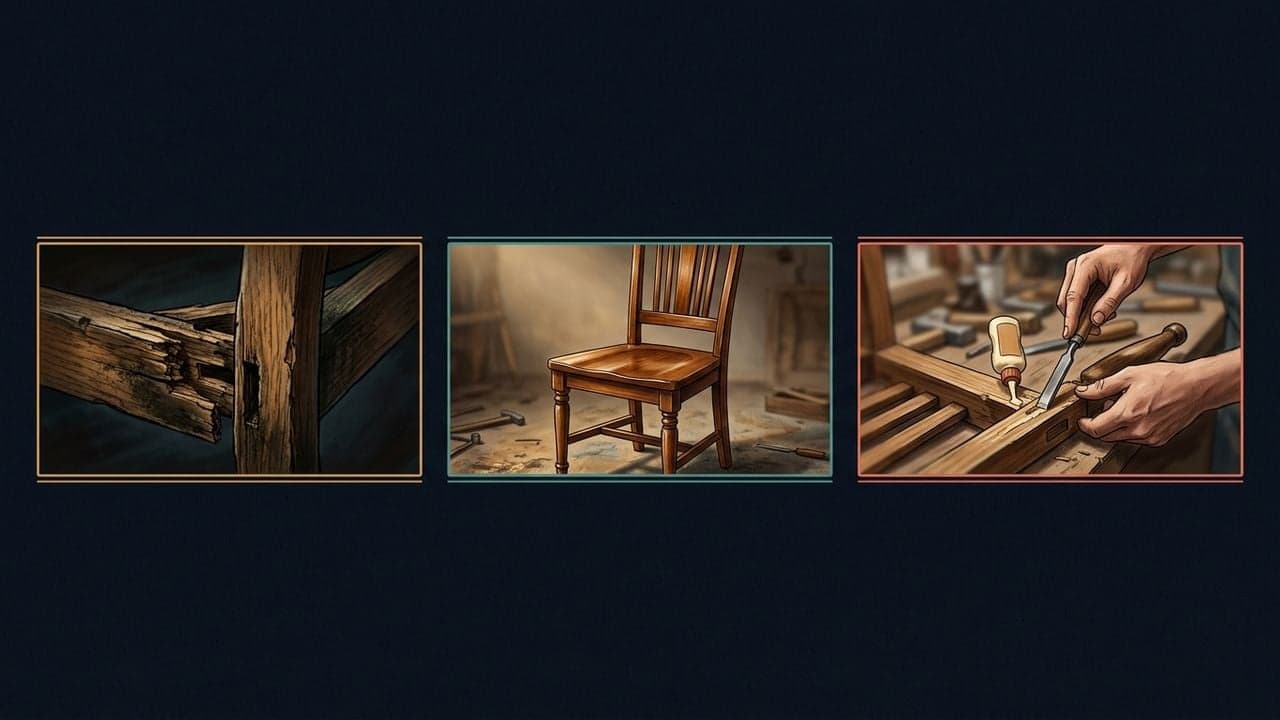
A useful YouTube packaging test begins before you upload the alternatives. Decide what you want to learn, then create options that represent different answers to that question.
If your alternatives are nearly identical, you may finish the experiment without learning anything that changes your next upload.
What YouTube currently supports
YouTube Studio supports tests of up to three titles, thumbnails, or title-and-thumbnail combinations. The feature is available on desktop for eligible creators with advanced features enabled. Shorts and certain other content types are excluded. Tests can take up to two weeks, and outcomes are based on watch time rather than simply maximizing CTR. Check the live eligibility details before starting.
Source: YouTube Help — YouTube A/B testing documentation
That gives you a place to evaluate alternatives. It still leaves a creative question: which alternatives deserve to be in the test?
Choose the learning objective
Two valid objectives produce different experiment designs:
Improve this video's complete package. Test different title-and-thumbnail combinations. You are evaluating the combined promise. You cannot attribute a difference entirely to the title or entirely to the image.
Learn about one component. Hold the other component constant. For example, keep the title and test a finished-result image against a process image. This makes the question narrower and the lesson easier to describe.
Neither objective is inherently better. The problem is running one kind of test and claiming you learned the other kind of lesson.
Build three different hypotheses
Consider an illustrative video about restoring an old chair. The footage includes the original damage, the repair process, and the finished chair.
| Option | Title concept | Thumbnail concept | Hypothesis |
|---|---|---|---|
| Result | I Restored the Chair Everyone Wanted to Throw Away | Damaged chair beside the finished result | The transformation is the strongest reason to watch |
| Challenge | Can This Broken Chair Be Saved? | A close view of the structural damage | Uncertainty about the outcome creates interest |
| Instruction | How to Repair a Wobbly Wooden Chair | The joint being repaired, clearly framed | A specific practical problem attracts the intended viewer |
These are original teaching examples, not proven winners. They also imply slightly different audiences. The video must satisfy the promise of every version you submit.

Review quality before testing
Testing is not a substitute for eliminating obvious problems. Check that each package accurately represents the video, remains readable at a small size, and communicates a clear subject.
Then ask whether the options are distinct enough to teach you something. A tiny change in the shade of a background may matter aesthetically without testing a meaningful difference in the video's promise.
Use an experiment brief
Before launch, write this short record:
- Video: the upload being tested.
- Decision: the question you want the result to answer.
- Options: the exact titles and thumbnail files.
- Hypothesis: why each option could work.
- Unchanged elements: what you are intentionally holding constant.
- Result and context: outcome, dates, and any external events you know about.
- Next step: what you will do differently, if anything.
Keep a copy of the brief even if the result disappoints you. It prevents a visually appealing option from being remembered as a proven winner when the experiment did not establish that.
Interpret the outcome narrowly
YouTube can report a winner, similarly performing options, or an inconclusive result. An inconclusive test does not establish that all packaging choices are equally effective; it means this experiment did not identify a clear difference.
Source: YouTube Help — YouTube's result definitions
If the result favors the transformation concept, a sensible next hypothesis is to try a transformation-led package on another relevant restoration video. An unsupported leap would be to declare that every thumbnail on the channel needs a before/after layout.
Keep separate notes for demonstrated results and ideas still worth exploring. Over time, that distinction gives you a more useful creative playbook than a folder full of favorite designs.
FrameOne helps analyze packaging and develop title and thumbnail concepts; YouTube Studio is where the test described here runs. Start with a free FrameOne audit if you first need to decide which videos and creative questions deserve attention.