12 YouTube Title and Thumbnail Examples: Build One Clear Promise
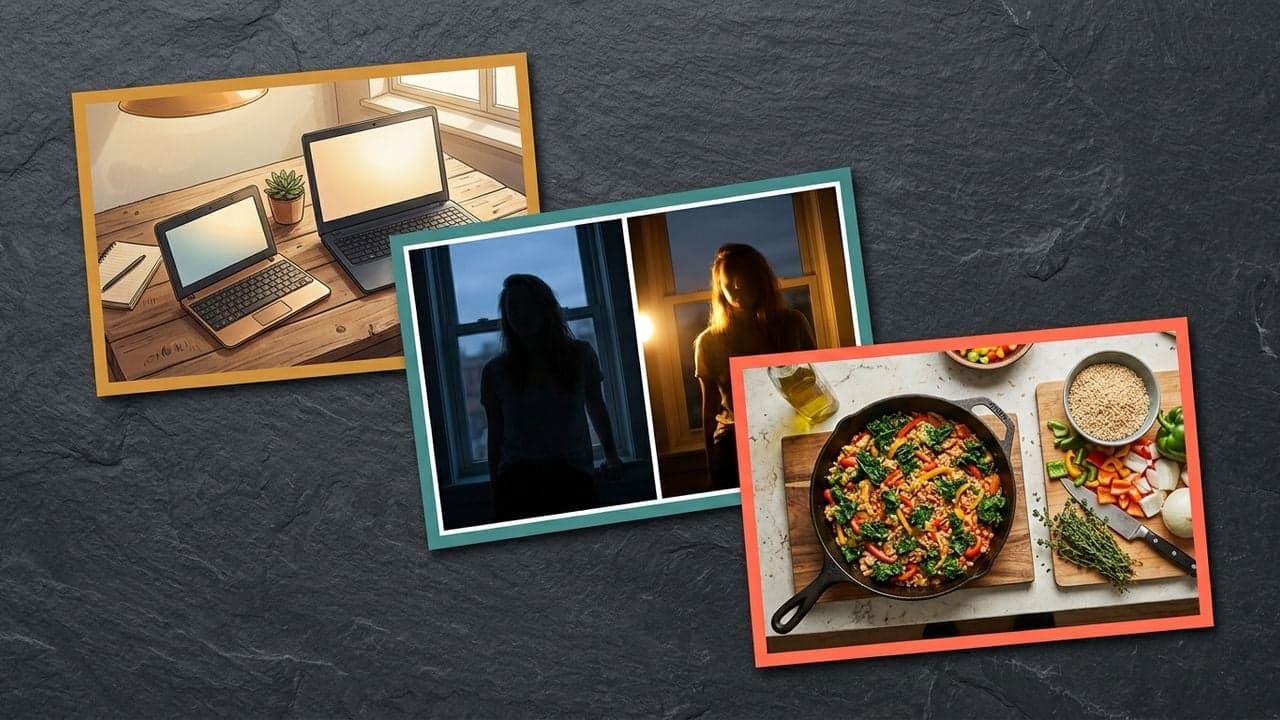
A title and thumbnail work together when they make a clear promise about what a viewer will get from the video. They do not have to repeat the same words or communicate every detail.
Use the title to establish the question, problem, or outcome. Use the image to make the subject, evidence, or tension tangible. That is a creative framework you can adapt, not a universal recipe for higher CTR.
YouTube's own guidance recommends accurate, concise titles and thumbnails that remain easy to understand. It also distinguishes between titles that clearly serve a search need and titles designed to spark curiosity.
Source: YouTube Help — YouTube title and thumbnail guidance
Twelve original paired concepts
These examples are illustrative briefs. They are not copied from creators, actual customer results, or proven performance claims. Use a concept only when the video contains the promised material.
| Niche | Title concept | Thumbnail concept | What the pair promises |
|---|---|---|---|
| Video production | I Fixed My Audio Without Buying a New Microphone | Same microphone beside a visibly quieter recording setup | A practical improvement using existing equipment |
| Cooking | The One-Pan Dinner I Make When I Have No Plan | A finished meal beside the ingredients used | An approachable dinner solution |
| Technology | I Tried to Work for a Day on This Tiny Laptop | The small device next to a normal work setup | A real-world constraint put to a test |
| Woodworking | Can This Broken Chair Be Saved? | A close-up of the damaged joint | An uncertain restoration outcome |
| Productivity | I Removed Half My To-Do List. Here Is What Happened. | A visibly shortened list, without exposing private details | An experiment in prioritization |
| Travel | What a Rainy Day in Kyoto Actually Looks Like | A specific rain-soaked street scene | An honest experience under an inconvenient condition |
| Photography | Same Camera. Two Very Different Portraits. | Two portraits with clearly different lighting | A visible technique-driven contrast |
| Gardening | Why My Balcony Herbs Kept Dying | The actual affected plant and its growing location | A diagnosis grounded in a real problem |
| Software | The Dashboard I Built Before Writing Any Backend Code | The real dashboard interface at a readable scale | A concrete building workflow |
| Gaming | Can I Finish This Level Without Jumping? | The character facing the obstacle that makes the rule difficult | A constraint-based challenge |
| Music | One Guitar Part, Three Different Moods | The same instrument with three clearly labeled arrangements | A demonstration of musical variation |
| Home organization | I Made This Small Closet Easier to Use | A truthful before/after of the same closet | A useful transformation in limited space |
Give each element a job
Take the photography example. The title establishes that the camera remains the same and the outcomes differ. The image supplies the evidence. Adding the entire title as text over both portraits may consume space without adding useful information.
Now consider the tiny-laptop example. The image establishes the constraint at a glance. The title turns that constraint into a question about a real workday. A generic image of a smiling person would lose the most distinctive part of the idea.
This division of labor is especially helpful when the topic itself is familiar. The package can explain why this particular version is worth considering.
Adapt the promise to the viewing situation
A searchable tutorial might lead with the task: "How to Repair a Wobbly Wooden Chair." A story about a difficult restoration might lead with the uncertainty: "Can This Broken Chair Be Saved?"
The footage could overlap, but the editorial promise changes. Choose the version that matches what the video delivers and whom you want it to help.
Avoid adding dramatic language simply because it appears in successful videos elsewhere. A specific and believable promise gives you a clearer hypothesis to evaluate.
Use a promise check before publishing
For each proposed package, answer these questions:
- What does the viewer expect to learn, see, or experience?
- Where exactly does the video deliver that promise?
- What does the thumbnail contribute that the title does not?
- Could a new viewer understand the subject without knowing the channel?
- Does the package imply a result that the video never demonstrates?
If you cannot answer the second question, revisit the promise before polishing the image. If you cannot answer the third, consider whether the visual is decorative rather than informative.
Generate alternatives around different reasons to watch
For the same video, try one concept centered on the result, one on the process, and one on the obstacle. You may reject two before testing because they do not fit the footage. That is useful creative work.
Keep the examples as starting points. Your channel's audience and your video's evidence should determine the final concept.
Use FrameOne's free audit to examine the packaging already on your channel, then develop a few specific alternatives for the next video you want to improve. Evaluate those alternatives with real audience evidence rather than assuming a familiar-looking design will win.